Audit from file: AI reads the audit report, you review the findings
1791395133836
Released in beta 5 October 2026
Most social compliance programs rely on audits run under several schemes, such as Amfori BSCI, SMETA, SLCP, Better Work and SA8000. Each scheme writes its reports differently, groups findings differently and grades them on its own scale. To assess risk and report across your whole supply base, you need all of those reports expressed in one language: your organisation's own classification of non-conformities. Until now that translation was manual. Someone had to read each report, interpret each finding and re-key it with the right type, severity and corrective action. That limited how far the approach could scale.
Audit from file hands that work to AI. You upload the audit report as a PDF. The AI reads the whole report the way an experienced compliance reviewer would: it works out what each finding means, decides where it belongs in your checklist and classification, and drafts the corrective action plan. Your team then reviews and approves the result instead of building it from scratch.
What the AI does with a report
Interprets findings in your terms. Every finding is classified against your organisation's own NC types and severity scale, not the scheme's. A "major" in one scheme and a "zero tolerance" item in another end up where they belong in your taxonomy, so a BSCI audit and a SMETA audit become directly comparable.
Answers your checklist. The AI matches what the report says to the checkpoints in your audit checklist and suggests the status, comments, multiple choice and text answers.
Pulls out the facts. Supplier and production unit data in your own custom fields, such as workforce numbers or whether there is a dormitory, is filled from facts stated in the report.
Drafts the CAP. For each finding, the AI suggests a corrective action description. It takes the due date from the timescale stated in the report and recognizes findings the report already marks as closed.
Two ways to start
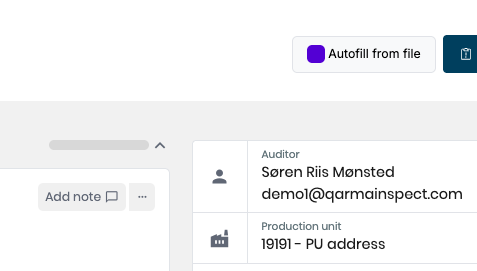
From an existing audit. On the Perform audit page, click Autofill from file, choose the PDF and start the extraction:
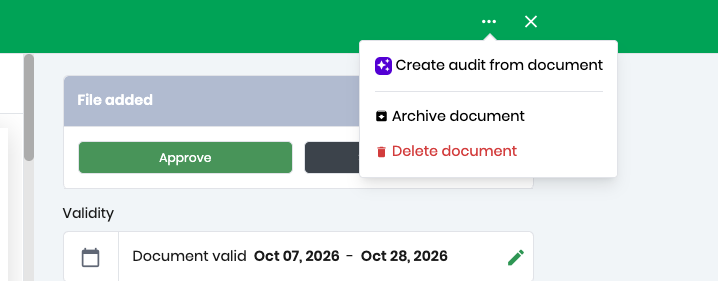
From a supplier document. If the report is already stored as a supplier or production unit document, open it and choose the AI option to create an audit from it. Pick the audit type and checklist, and a supplier if needed (this is optional for independent production units). Qarma creates the audit and the AI starts reading straight away.
The work runs in the background, and you can follow it as it goes: reading the file, looking for non-conformities, matching checkpoints, suggesting corrective actions. You can keep working on the audit in the meantime. A notification tells you when the suggestions are ready.
AI does the work, people make the decisions
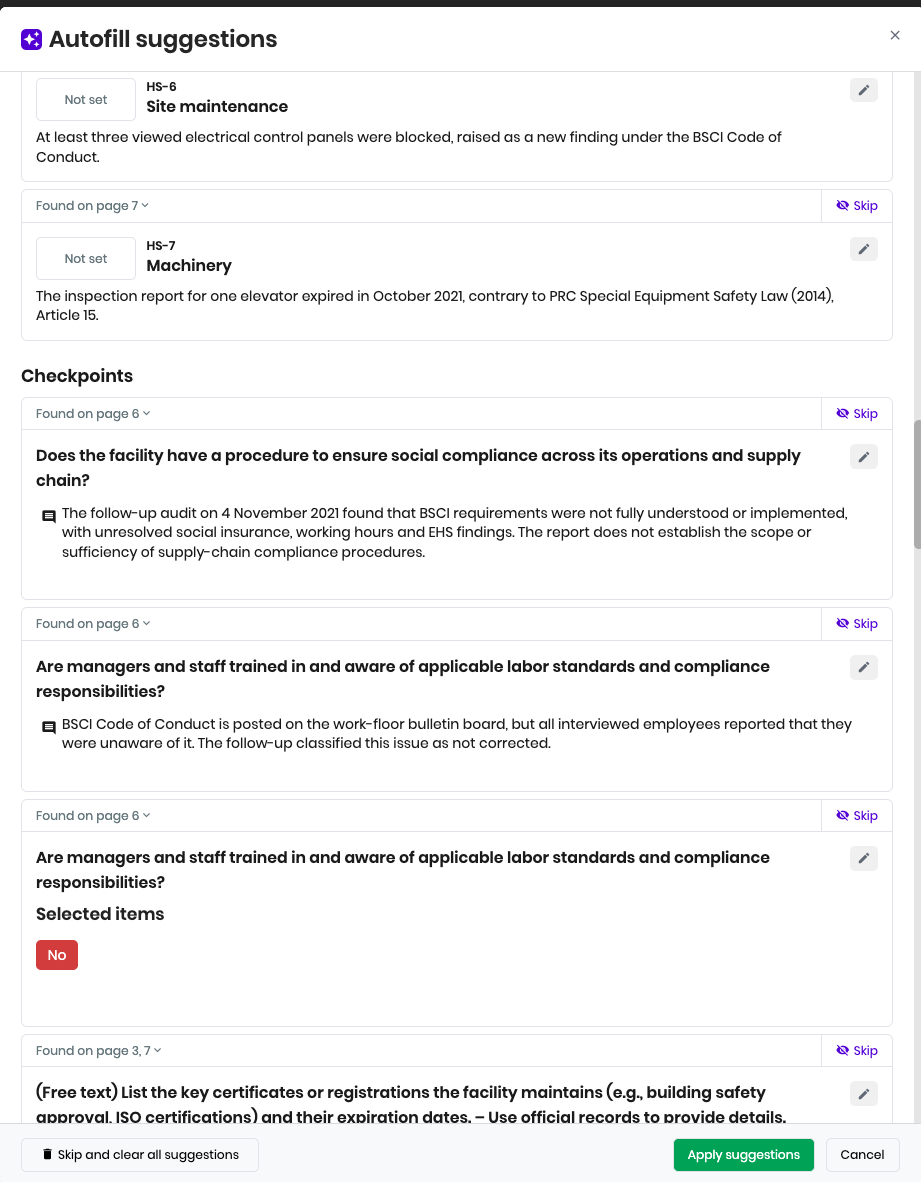
Every suggestion is marked as an AI suggestion and can be traced back to the report:
Each suggestion shows where it was found ("Found on page 12"), and you can open the source PDF to check it.
Where a field already has a value, you see the current value next to the AI's suggestion.
You can edit any suggestion inline or skip it.
Nothing changes in the audit until you click Apply suggestions.
You can attach the source file to the audit, or clear everything and run a different file.
This is the review page:
Once you have reviewed and click Apply Suggestions, you will see the audit page filled in with all the data, and you can further refine and review before you finalize and submit.
Corrective actions
For audit types that are not using non-conformity classifications, the output will be a suggested CAP based on the findings from the document.
For audit types with non-conformity classifications, the CAP is easily created from the report summary page once the audit has been submitted.
Why it matters
Converting third-party audits into one classification is what makes cross-program risk assessment and reporting possible. With AI doing the reading, interpreting and drafting, that work no longer grows with headcount. Your team spends its time on review and supplier follow-up, and the program scales with the number of reports you receive.
Availability
Audit from file is in beta. To get access, contact support at [email protected]. You will find that it provides the most value when mapping against non-conformity types, and we can help set that up for you as well.
Did you like this update?


Leave your name and email so that we can reply to you (both fields are optional):
