
Improved assignment of CAPs, product selector for shared documents
1768433021831
Released: 14 January 2026
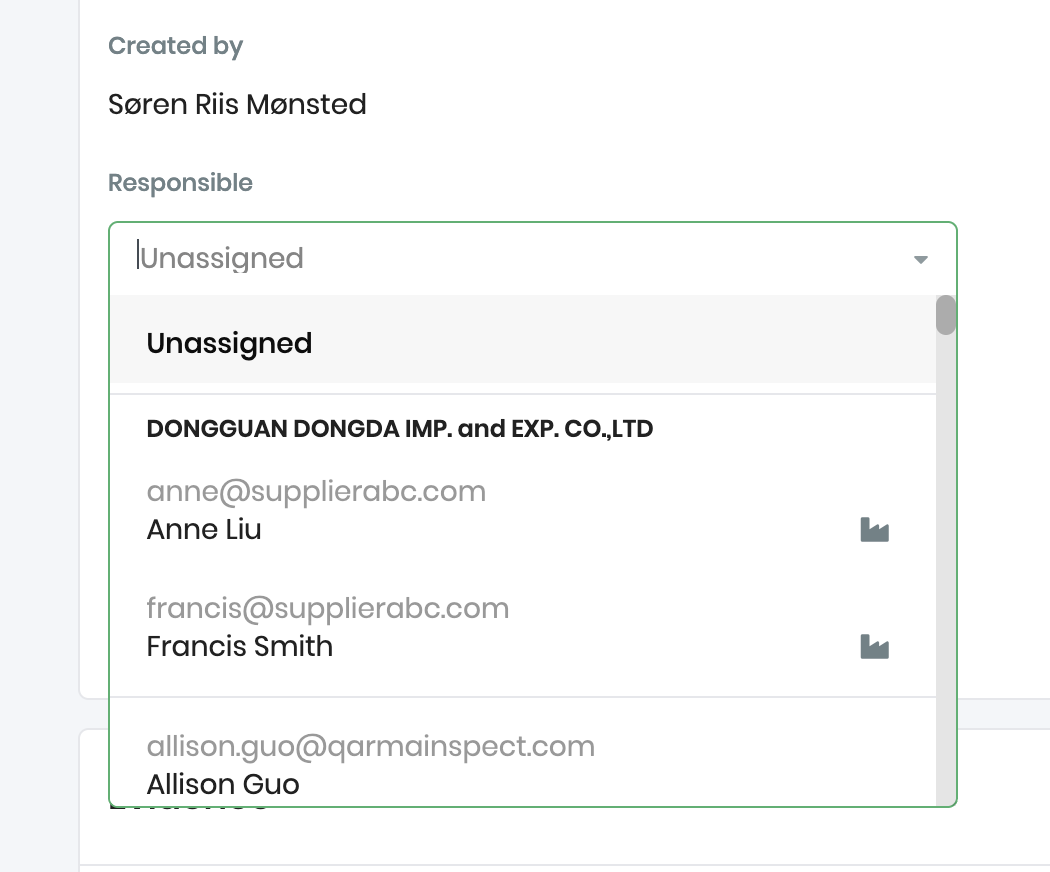
Improved assignment of CAPs to supplier users
When assigning a corrective action to a user, the user list is now sorted to show the relevant supplier users at the top. In the below example, the supplier named “DONGGUAN DONGDA IMP. and EXP. CO.,LTD” has two users, and they are floated at the top of the user list, since they will often be the relevant users to select:
Product compliance: More powerful “Add to products” selector
When you upload or approve a document that cover multiple products, it’s now much simpler to add more products. First of all, the products on the same PO are listed at the top. In the below example, PO#336582 has several products that all have the same requirement, so they are at the top of the list:
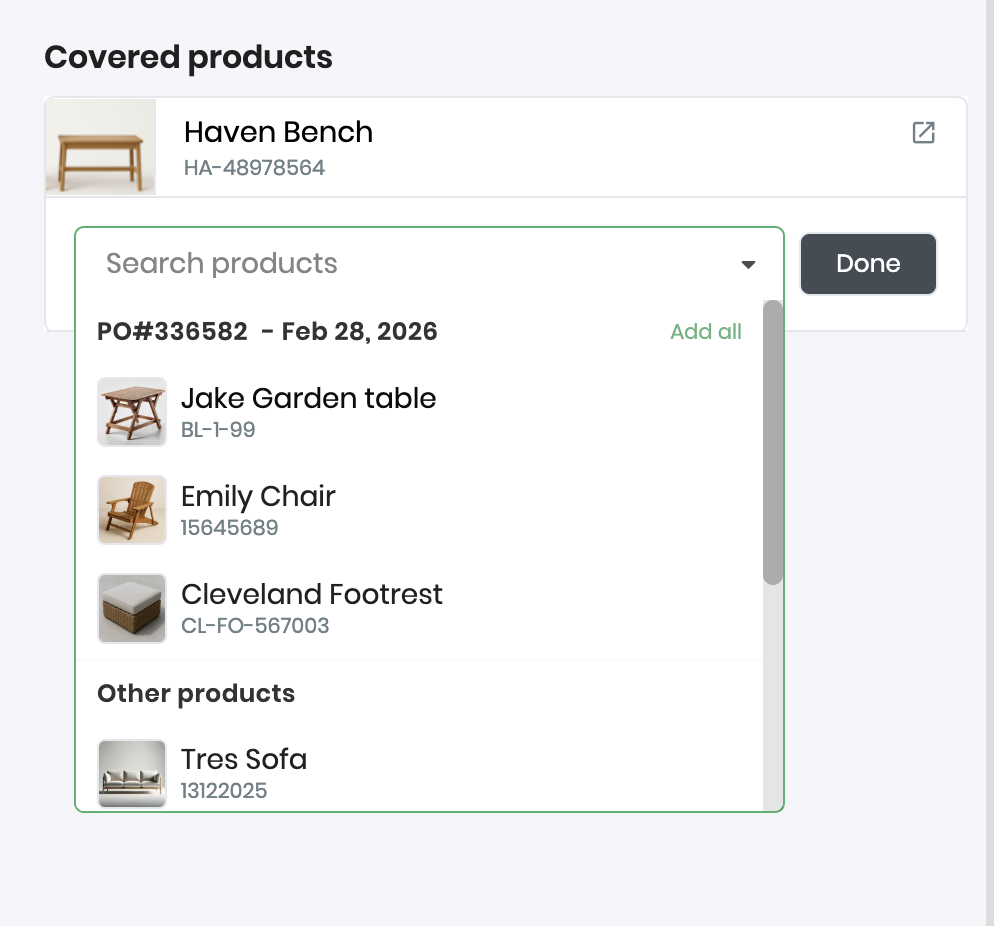
It’s simple to add the document to all products in the list by clicking the Add all button.
Did you like this update?


Leave your name and email so that we can reply to you (both fields are optional):
